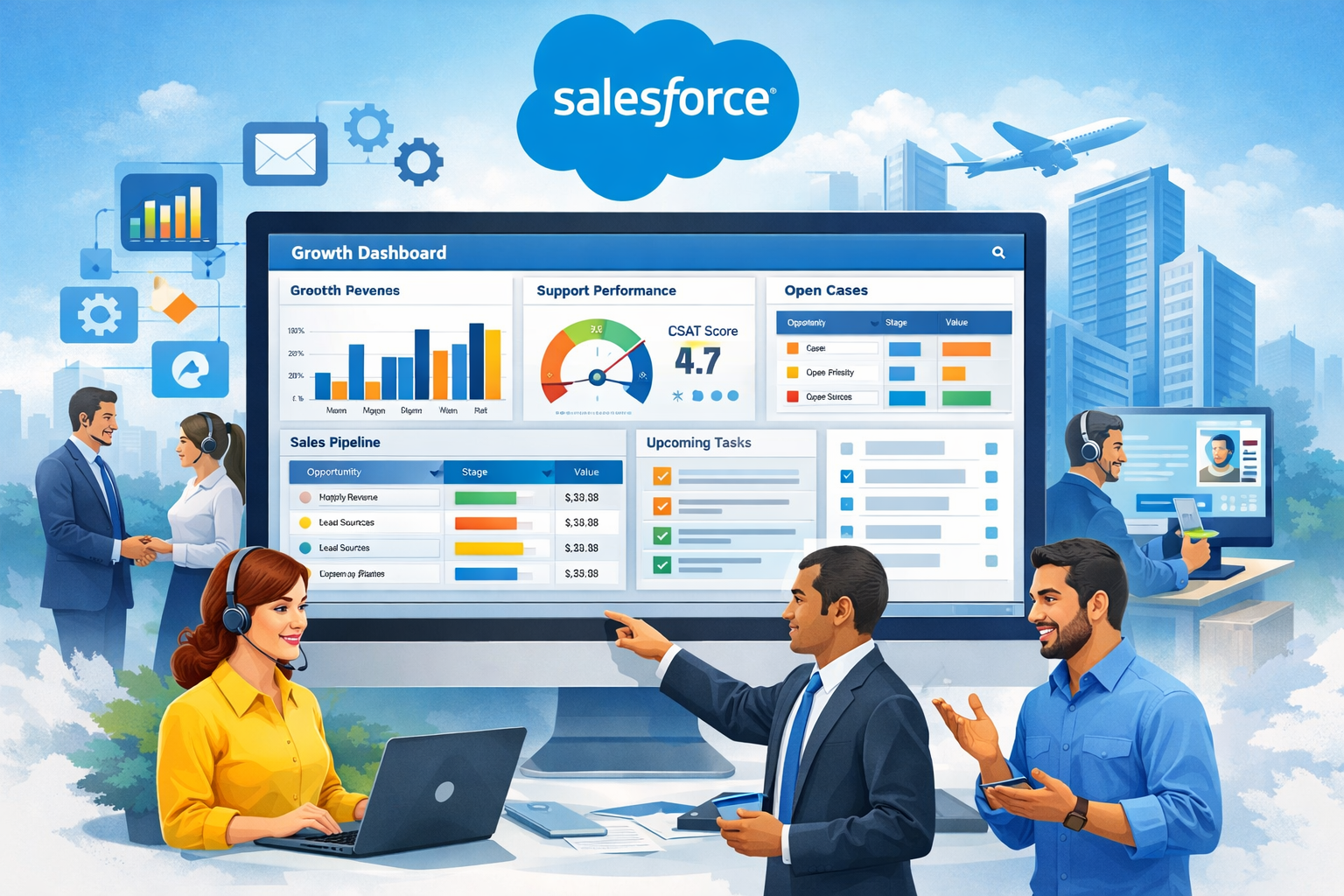
What is Salesforce? Salesforce is a cloud-based enterprise CRM platform that helps organizations manage sales, customer service, marketing, automation, and analytics on a single unified system.
For global enterprises asking what is Salesforce CRM and how does it work at scale, Salesforce acts as the digital backbone that connects every customer interaction—from lead generation to long-term retention.
For anyone asking “what is Salesforce CRM and how does it work for large organizations?”, Salesforce acts as a centralized digital backbone for customer operations.
Used by 90% of Fortune 500 companies, Salesforce helps businesses:
- Acquire customers
- Retain customers
- Increase revenue
- Deliver personalized experiences at scale
Salesforce is not just a CRM—it is a complete digital transformation platform.
What Is Salesforce? Why It Dominates Enterprise CRM in Tier-1 Markets
When the Salesforce CRM platform is explained in an enterprise context, its dominance in Tier-1 markets becomes clear.
✔ Enterprise-grade security
✔ Scalable cloud architecture
✔ Low-code + pro-code development
✔ AI-powered analytics (Einstein)
✔ Massive ecosystem & integrations
What Is Salesforce? Understanding Salesforce CRM as a Unified Enterprise Platform
This documentation presents a real-time Salesforce enterprise project used by a global SaaS organization.
⚠️ This is production-standard, not a demo project.
1. What Is Salesforce Used For in Large Enterprise Organizations?
Project Overview
The Customer Support and Sales Automation Platform is an enterprise-grade digital transformation project. The mission was to migrate a global SaaS provider from fragmented legacy systems (spreadsheets and isolated SQL databases) to a unified Salesforce ecosystem.
- Industry: Technology / SaaS (Software as a Service)
- Scale: 500+ Users across North America, EMEA, and APAC.
- Timeframe: 8 Months (Agile Methodology).
Strategic Objectives
- Unified View of the Customer (360-Degree View): Eliminating the data silos between the Sales teams (who close deals) and the Support teams (who handle post-purchase issues).
- Operational Efficiency: Reducing the “Lead-to-Cash” cycle and the “Case-to-Resolution” time through aggressive automation.
- Scalability: Building a system capable of handling 50,000+ monthly leads and 10,000+ support cases without manual intervention.
2. The Business Problem: A Study in Fragmentation
Before the Salesforce implementation, the organization suffered from “Data Debt.”
Key Pain Points:
- Lead Leakage: Marketing generated leads via webinars and ads, but they were stored in CSV files. By the time a Sales Rep called, the lead had often gone cold or moved to a competitor.
- The Support “Black Hole”: Customer support cases were managed via a shared Outlook inbox. There was no way to track priority, SLA (Service Level Agreement) breaches, or recurring issues.
- Pipeline Blindness: Managers could not predict monthly revenue. Forecasts were based on “gut feeling” rather than real-time Opportunity data.
- Inconsistent Customer Experience: A customer might be complaining about a major bug to Support, while a Sales Rep—unaware of the issue—calls them to pitch an upgrade, leading to high frustration and churn.
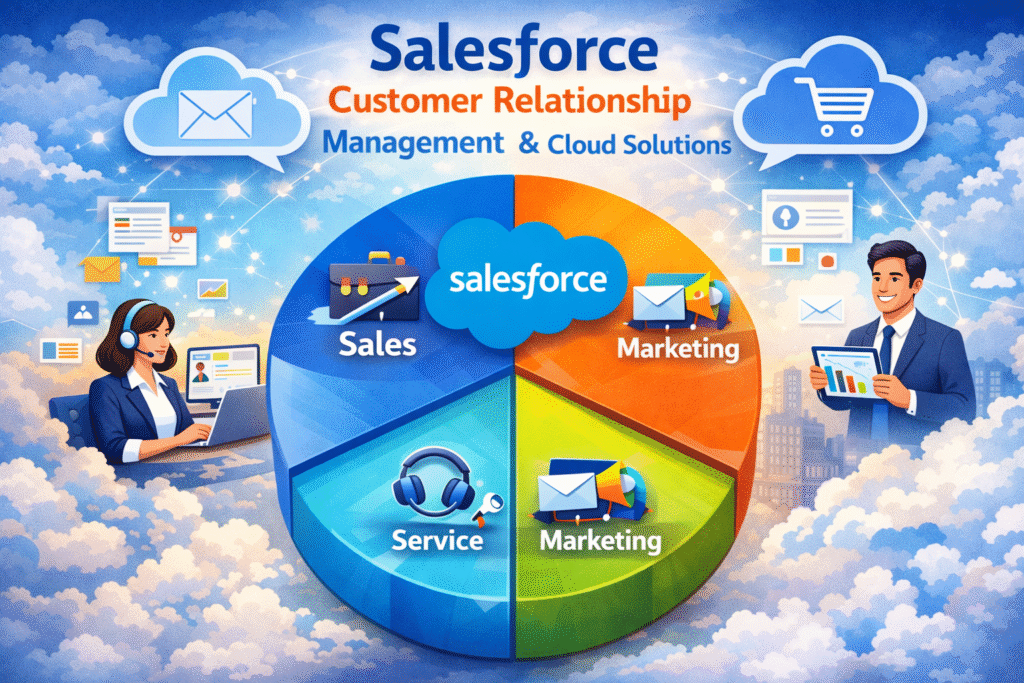
3. What Is Salesforce Architecture? Multi-Cloud Enterprise CRM Design
To solve these problems, we designed a multi-cloud architecture that ensures data flows seamlessly across the customer lifecycle.
This architecture highlights why Salesforce cloud CRM is preferred by Fortune 500 companies. Instead of isolated tools, Salesforce delivers a connected ecosystem where data, automation, and analytics operate in real time across departments.
The Salesforce “Tech Stack”:
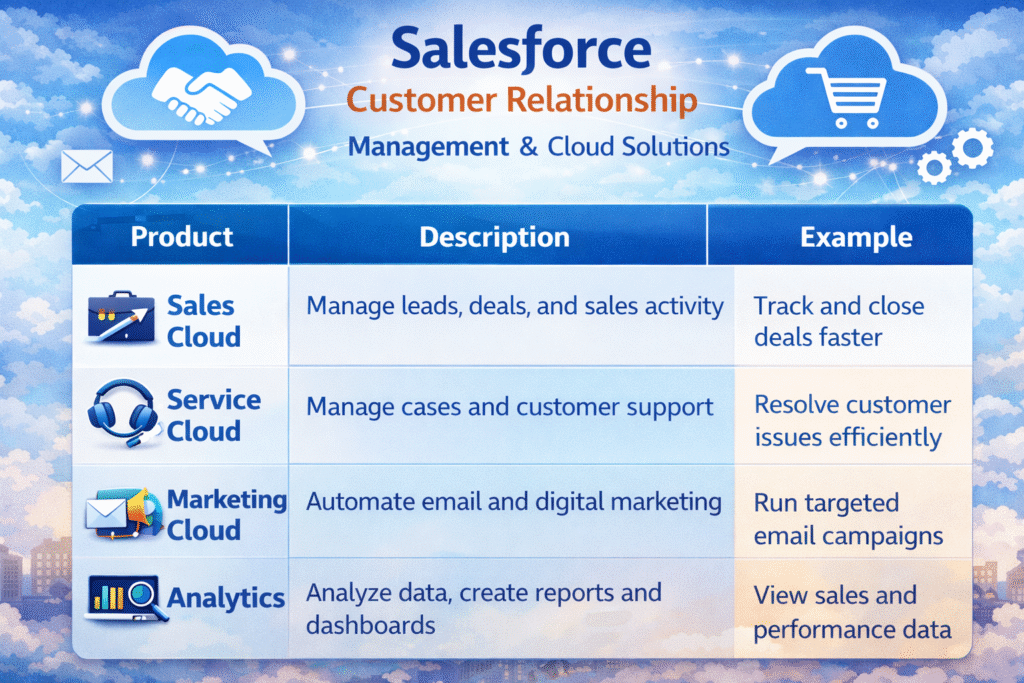
- Sales Cloud: For the front-end revenue engine (Lead, Account, Contact, Opportunity).
- Service Cloud: For the back-end retention engine (Case, Knowledge, Entitlements).
- Experience Cloud (formerly Communities): A branded portal where customers can help themselves.
- Salesforce Flow: The primary orchestration engine for logic.
- Apex & LWC: Used for high-performance, custom business requirements that standard configuration couldn’t meet.

4. Detailed Data Model (ERD)
The heart of the project is a robust data model. We utilized Standard Objects for core CRM functions and Custom Objects to capture industry-specific data.
Object Relationships:
- Account (Standard): The “Parent” hub for all data.
- Contact (Standard): Associated with Accounts via a Look-up or Master-Detail.
- Opportunity (Standard): Tracks potential revenue linked to an Account.
- Case (Standard): Tracks support issues linked to a Contact and Account.
- Product_Feedback__c (Custom): Captures customer suggestions, linked to Cases.
- Customer_Subscription__c (Custom): Tracks SaaS licenses (Start Date, End Date, Tier), linked to Accounts.
5. What Is Salesforce Sales Cloud? The Enterprise Revenue Engine
Lead Management & Conversion
We implemented a Lead Scoring System. Leads are captured via Web-to-Lead on the company website.
- Automation: A Flow evaluates the “Lead Source.” If the source is “Direct Advertisement,” the lead is assigned to the “High Priority Queue.”
- Conversion: Upon conversion, the system creates an Account and Contact. If the user checks “Create Opportunity,” the system maps custom fields (like “Budget”) from the Lead to the Opportunity automatically.
Opportunity Management & Approvals
To maintain financial integrity, we implemented a sophisticated Approval Process.
- The Logic: Any Opportunity with an amount exceeding $100,000 is automatically “Locked.”
- The Workflow: An Email Alert and Slack notification are sent to the Regional Sales Manager. Only after their digital signature (Approval) can the Sales Rep move the stage to “Closed Won.”
6. What Is Salesforce Service Cloud? Retention & Customer Experience at Scale
The tight integration between Salesforce Sales Cloud & Service Cloud ensures that revenue teams and support teams operate with a shared, real-time customer view.
Case Management & Omni-Channel
To stop the “Support Black Hole,” we enabled Email-to-Case and Web-to-Case.
- Case Assignment Rules: * If Case
Type= ‘Billing’, assign to the Finance Support Queue.- If Case
Priority= ‘High’, assign to the Senior Engineer Queue.
- If Case
- Entitlements & SLAs: We defined “Milestones.” For “Gold” tier customers, the “Initial Response” milestone is set to 2 hours. If not met, the Case is automatically escalated to the Support Manager.
Experience Cloud (Customer Portal)
We built a self-service portal using the Help Center template.
- Deflection: Before a customer submits a case, the portal uses Knowledge Articles to suggest solutions. This reduced incoming case volume by 22% in the first quarter.
7. What Is Salesforce Automation? Flows, Apex, and Enterprise Logic
While we followed a “Click-not-Code” first philosophy, certain enterprise requirements demanded Apex and LWC.
Apex Trigger: High-Value Logic
We developed an Apex Trigger on the Opportunity object to handle complex descriptions and data sanitization for high-value deals.
Java
/**
 * @description: Trigger to handle high-value opportunity tagging
 */
trigger OpportunityMasterTrigger on Opportunity (after insert, after update) {
    if (Trigger.isAfter && (Trigger.isInsert || Trigger.isUpdate)) {
        OpportunityHandler.handleHighValueDeals(Trigger.new);
    }
}

// Handler Class
public class OpportunityHandler {
    public static void handleHighValueDeals(List<Opportunity> oppList) {
        List<Opportunity> oppsToUpdate = new List<Opportunity>();
        for (Opportunity opp : oppList) {
            if (opp.Amount > 100000 && !opp.Description.contains('High Value')) {
                // Logic to update description or trigger integration
            }
        }
    }
}
Lightning Web Component (LWC): Sales Manager Cockpit
We built a custom LWC for the Home Page that provides a “Sales Cockpit.” It aggregates data from three different objects into a single, high-performance view.
- Feature: Uses
lightning-datatableto show the Manager their team’s “Open Cases” and “Stalled Opportunities” side-by-side, which standard reports cannot do in a single component.
8. Automation Orchestration with Salesforce Flow
Flow is the “Brain” of this implementation. We replaced all legacy Workflow Rules and Process Builders with Record-Triggered Flows.
Use Case: Auto-Onboarding
When an Opportunity is marked as Closed Won:
- Flow Action: Creates a
Customer_Subscription__crecord. - Flow Action: Creates a “Welcome” Task for the Account Manager.
- Flow Action: Sends an outbound message to the ERP system to trigger the invoice.
- Flow Action: Sends a customized “Welcome Email” to the customer via an Email Template.
9. What Is Salesforce Security Model for Enterprise Governance?
In a Tier-1 environment, data security is non-negotiable. This implementation reflects how Salesforce for enterprise businesses is designed to scale securely across thousands of users, regions, and data records without performance degradation.
The Security Model:
- Organization-Wide Defaults (OWD): Set to Private for Opportunities and Cases to ensure users only see what they own.
- Role Hierarchy: Managers can see data belonging to their subordinates.
- Sharing Rules: A rule was created to share “Billing” cases with the “Finance Profile” users.
- Field-Level Security (FLS): The “Commission” field on Opportunity is only visible to the Sales Manager and Finance, not the Sales Rep.
10. What Is Salesforce Analytics? Reports & Dashboards for Executives
We delivered three primary dashboards for executive visibility.
1. The CEO’s “Growth” Dashboard
- Total Monthly Recurring Revenue (MRR)
- Year-over-Year Growth
- Win/Loss Ratio per Region
2. The Support Manager’s “Efficiency” Dashboard
- Average Time to Close Case
- CSAT (Customer Satisfaction) Score
- Cases by Origin (Email vs. Web vs. Portal)
11. Deployment & Quality Assurance
Sandbox Strategy:
- Developer Pro Sandbox: Initial coding and unit testing.
- Partial Copy Sandbox: Integration testing with sanitized real data.
- Full Copy Sandbox: User Acceptance Testing (UAT) and Performance testing.
Deployment Tools:
- We used VS Code with Salesforce CLI for development.
- GitHub for version control.
- Copado/Flosum (or Change Sets) for moving metadata to Production.
12. What Is Salesforce ROI for Fortune 500 Companies?
Post-go-live, the company performed a 6-month audit. The results were transformative:
- Revenue Growth: A 35% increase in lead conversion due to faster response times.
- Cost Savings: A 40% reduction in case handling time thanks to automated assignment and Knowledge base deflection.
- Sales Velocity: The average time to close a deal dropped from 45 days to 32 days.
- Data Integrity: 100% elimination of duplicate Accounts using Salesforce Duplicate Rules.
13. What Is Salesforce Interview Value for Tier-1 Roles?
If you are explaining this project in a professional interview:
- The “Challenge” (STAR Method): “We had a disconnected sales and service environment where leads were getting lost and customers were frustrated.”
- The “Action”: “I led the implementation of Sales and Service Cloud, moving logic from manual processes to automated Flows and Apex Triggers.”
- The “Result”: “We unified the data, resulting in a 30% boost in CSAT scores and real-time visibility for the executive team.”
- Technical Deep Dive: “One of the most complex parts was a Record-Triggered Flow that integrated with a custom Subscription object to automate the post-sales onboarding process.”
14. Conclusion
What is Salesforce in a real enterprise environment?
Salesforce is not just a CRM—it is a scalable digital operating system for modern businesses. From Sales Cloud and Service Cloud to automation, analytics, and security, Salesforce enables Fortune 500 companies to grow faster, serve customers better, and make data-driven decisions with confidence.
“In summary, what is Salesforce in today’s enterprise world? It is a scalable CRM platform that unifies sales, service, automation, and analytics.”
❓ Frequently Asked Questions
To help you ace your next interview for a Tier-1 Salesforce role (Admin, Developer, or Consultant), I have curated 50 targeted interview questions based specifically on the Horizon 360 Project.
These are categorized by role and difficulty, focusing on the “Why” behind the technical “How.”
🏗️ Category 1: Architecture & Data Modeling
- Explain the Horizon 360 data model. Why did you choose a Master-Detail relationship for Subscriptions but a Lookup for Product Feedback?
- What are the implications of using Person Accounts? Did this project use them, or a standard B2B Account/Contact model?
- How did you handle Account Hierarchies? If a child account has a support case, can the parent account manager see it?
- Why use Record Types on the Case object? How did this improve the user experience for Billing vs. Technical agents?
- What is a “Junction Object,” and did you need one for this project (e.g., for linking many Products to many Opportunities)?
- How did you ensure data integrity during the migration of 2.5M legacy records into this new model?
- Explain the “Schema Builder.” How did you use it to visualize the relationship between Sales and Service objects?
- What are the limitations of Master-Detail relationships that you had to consider for the Subscription object?
- How did you handle multi-currency? If a deal is closed in GBP but the CEO dashboard is in USD, how is that managed?
- Why did you choose a custom object for Subscriptions instead of using standard Salesforce Assets or Contracts?
⚡ Category 2: Declarative Automation (Flows)
- Explain the “Closed-Won” Flow. What happens if the ERP (NetSuite) integration fails during the Flow execution?
- Before-Save vs. After-Save Flows: Give an example from this project where you used a Before-Save Flow for performance.
- How did you handle Flow Error Handling? Do you use Fault Paths or a custom Error Log object?
- What is a “Sub-Flow,” and did you use one for the “Welcome Journey” or “Onboarding” process?
- How do you prevent “Recursion” in Flows (e.g., a Flow updating a record that triggers the same Flow again)?
- Why did you replace Process Builder and Workflow Rules? What are the architectural benefits of moving to Flow?
- How did you handle “Scheduled Flows” in this project? (e.g., checking for expiring subscriptions).
- Explain the Lead Scoring logic. How does the Flow calculate the score and assign it to the correct queue?
- How do you test Flows? Did you use the “Flow Trigger Explorer” or “Flow Tests (Beta)”?
- Can a Flow handle complex Apex-like logic? When did you decide a Flow wasn’t enough and switched to Apex?
💻 Category 3: Programmatic Development (Apex/LWC)
- Walk me through your Subscription Trigger. How do you ensure it is “Bulkified” to handle 200+ records?
- What is a Trigger Framework? Did you use one (like the “Haplow” or “Kevin O’Hara” framework) for this project?
- Explain the LWC “Sales Cockpit.” How do you pass data from Apex to the LWC (Wire Service vs. Imperative Calls)?
- How did you handle CSS in your LWC to match the company’s “Tier-1” branding?
- What is “@AuraEnabled(cacheable=true)” and why is it important for the Sales Manager dashboard?
- How do you handle Governor Limits in your Apex code, specifically SOQL queries inside loops?
- Explain Unit Testing. How did you achieve 75% coverage for the
SubscriptionHandlerclass? - What are “Custom Metadata Types,” and did you use them to store integration endpoints or business rules?
- How does LWC communicate between components? (e.g., Lightning Message Service or Custom Events).
- What is the “Lightning Data Service” (LDS), and did you use
lightning-record-formin your cockpit?
🔒 Category 4: Security & Governance
- What is the “Principle of Least Privilege” and how was it applied to the Sales vs. Support profiles?
- If a Sales Rep moves to a new territory, how does the system ensure they lose access to old leads?
- How did you use Permission Set Groups to simplify user management in this project?
- What is “Manual Sharing,” and is it ever used in the Horizon 360 environment?
- How do you protect sensitive data like “Commission Percent” from being seen by unauthorized users?
- Explain the Role Hierarchy. If a VP is at the top, can they see the “Private” notes of a Support Agent?
- How did you handle GDPR “Right to be Forgotten” requests within Salesforce?
- What is “Field Audit Trail,” and did you use it to track changes on the Subscription MRR field?
- How do Validation Rules contribute to security and data governance? (Provide an example).
- Explain the difference between a Profile and a Permission Set in the context of this project.
📈 Category 5: Business Logic & Soft Skills
- How did you measure the ROI of this project? Which specific metrics proved its success?
- Tell me about a time a stakeholder disagreed with your architectural choice. How did you resolve it?
- What was the biggest technical challenge you faced during the Horizon 360 implementation?
- How do you handle “Scope Creep” during an Agile sprint?
- Explain “Case Deflection.” How did you prove to the Support Manager that Experience Cloud was working?
- How did you train 500+ users on this new system? Did you use “In-App Guidance”?
- What is “UAT,” and what kind of feedback did you get from the Sales Reps before go-live?
- How do you stay updated with Salesforce Releases (e.g., Spring ’26) to ensure the project stays current?
- If the CEO asks for a report that Salesforce can’t generate, what is your alternative (e.g., Tableau/CRM Analytics)?
- Why are you the best candidate to manage an enterprise-level implementation like this?
1 thought on “What Is Salesforce? The Ultimate Enterprise CRM Powerhouse for Fortune 500 Companies (2026)”